Ragdoll Physics 2 Controls
PC, mobile, and controller layouts for combat, revive, medical inspect, and sandbox tools.
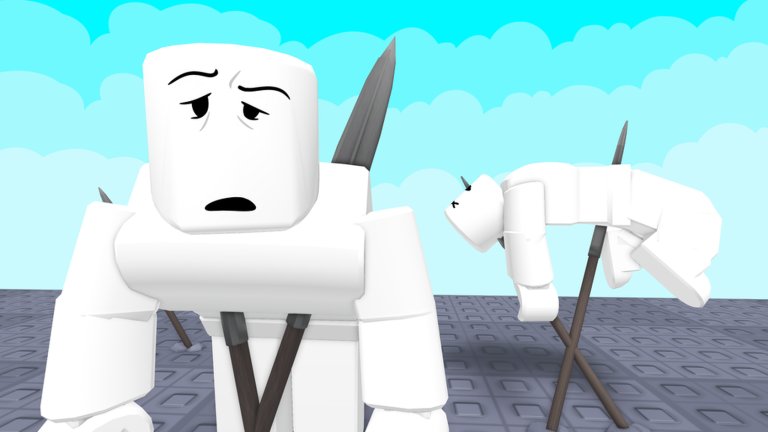
Ragdoll Physics 2 plays like a hybrid of a Roblox shooter and a physics toy box. The exact on-screen labels can shift after patches, but the input jobs stay stable: move, look, fire, switch tools, revive, inspect injuries, and open sandbox menus. Controller support arrived in the late October 2026 update wave alongside map editor, weather, and police work — so pad players are first-class now, not an afterthought.
If you are brand new, finish the Getting Started checklist first, then return here when something feels unresponsive. Medical keybinds matter more once you open Doctor Mode.
Shared ideas across devices
Every platform needs the same verbs:
- Locomotion — walk, sprint if available, jump, crouch or prone equivalents when the avatar supports them.
- Camera — free look for aiming firearms and lining up vehicle jumps.
- Primary action — shoot, swing, throw, or activate the equipped tool (physics gun, tool gun, defib, and so on).
- Secondary / aim — ADS or alternate fire on weapons that support it; block or heavy attack on some melee.
- Hotbar / quick slot — cycle weapons and gadgets without opening the full catalog every time.
- Interact / revive — pick up context actions and bring downed players back. On many Roblox sandboxes revive sits on R on keyboard; confirm the prompt on your build if a UI hint appears.
- Menu toggles — weapons browser, sandbox / Creative, maps & scenarios, shop surfaces, and Doctor / medical inspect.
Because servers hold up to 21 players, learn how to open menus without locking your camera in a fight. Practice the open-close rhythm in a quiet corner of a map before joining a war scenario.
PC (keyboard and mouse)
Typical Roblox FPS-adjacent defaults apply unless you rebound them in Roblox settings:
- WASD — move. Use small strafes when testing shotguns or flamethrowers so you can see blast cones.
- Mouse — look and aim. Lower sensitivity helps with snipers; higher sensitivity helps when chasing ragdolls mid-air for funny follow-up shots.
- Left click — primary fire / swing / tool use.
- Right click — aim down sights or alternate mode when the weapon supports it.
- Number keys / scroll — hotbar patterns common to Roblox sandboxes. Keep a bandage or splint one slot away from your main gun so triage is not a scavenger hunt.
- R — frequently used for reload or revive depending on context and what the experience binds. Watch the on-screen prompt when a teammate is downed; if revive is a separate interact key, prioritize that prompt over muscle memory from other games.
- E / F / proximity prompts — world interacts, vehicles, and some medical tools. Enter vehicles from the 60+ roster carefully so you do not yeet a car into a friend mid-revive.
- Q / G / dedicated grenade keys — if exposed, practice cook timing away from allies. Explosives plus breakable buildings end sessions fast.
- Tab / M / custom GUI buttons — inventory, map list, and sandbox panels. Creative Mode and the Spawn Menu are easier to learn from the Sandbox & Creative Mode guide once you can open them reliably.
Slow motion, gravity, blood, and other sandbox toggles usually live in UI panels rather than single keys. Do not assume a cinematic slow-mo keybind exists until you see it in the sandbox menu for your build.
Mobile (touch)
On phones and tablets:
- Use the left virtual stick for movement and the right drag zone for camera.
- Fire with the on-screen shoot button; keep thumbs clear of menu chips that open weapons or maps.
- Open the weapons panel, pick a loadout, then close it before a war starts — fat-finger menu opens get people killed.
- Revive and Doctor inspect often appear as contextual buttons when you are near a downed body. Walk up close; mobile interact radii feel tighter than PC.
- For precision tools (physics gun, tool gun, splint placement), zoom your camera and brace the device. Quick flicks that work with a mouse feel noisy on glass.
If UI scale hides the sandbox or Doctor buttons, check Roblox mobile settings and rotate to landscape. Landscape gives you more room for hotbar icons next to the shoot control.
Controller (gamepad)
Controller support was called out in the late October 2026 update package with map editor, weather, and police features. Expect a standard layout:
- Left stick — move. Right stick — look.
- Triggers — fire and aim (RT/R2 primary, LT/L2 ADS when available).
- Bumpers — weapon cycle or gadget swap, matching common Roblox controller patterns.
- Face buttons — jump, interact / revive, reload, and contextual medical use. Learn which face button confirms Doctor inspect versus which one just revives.
- D-pad — hotbar or emote / quick radial slots if the build exposes them.
- View / Menu — pause Roblox or open experience GUIs. Map voting, Creative Mode, and Workshop browsers are easier with a cursor mode if the game toggles one; otherwise navigate with stick highlight.
Calibrate dead zones if aim drifts while you test snipers on the crash lab maps. For wars against AI police that flank and throw grenades, keep ADS on a comfortable trigger so you can peek cover without claw grips.
Combat hotbar habits
With 140+ weapons, discipline beats novelty:
- Slot a primary (AR, shotgun, or SMG style).
- Slot a special (rocket, flamethrower, or grenade).
- Slot a melee backup for when ammo or physics chaos strands you.
- Keep one medical tool reachable — bandage, splint, or defibrillator — especially if you main support in group wars.
- Park the physics gun / tool gun in Creative sessions, not in every deathmatch, unless you are running a physics-only challenge.
Deep weapon advice lives on Weapons. Pair it with the Tier List after you have raw feel for recoil and ragdoll impulses.
Revive, grab, and throw
When a player flops:
- Close distance until a revive prompt appears.
- Hold or tap the revive control (often R on PC; on-screen button on mobile; face button on controller).
- If they stay critical, switch into Doctor Mode diagnostics — pulse and oxygen tell you whether a bandage is enough or you need the defibrillator.
- Drag or carry options, when present, help you pull bodies out of fire or away from a crusher in the demolition yard. If a grab / throw interaction exists on your build, practice on dummies first so you do not yeet teammates off skyscrapers by accident.
Grab-and-throw physics is part of the comedy fantasy inspired by People Playground and Garry’s Mod. Use it for staged scenes in Creative Mode more than for griefing random medics.
Sandbox toggles and menus
Creative Mode, Spawn Menu, Workshop, Missions, weather, and map editor entry points are menu-driven. Learn the icon that opens sandbox tools on your device, then read Maps for which spaces fit editor tests versus wars. Weather and lighting changes can hide prompts — if revive suddenly feels broken, check visibility before rebinding keys.
Troubleshooting inputs
- Cannot revive — you may be too far, on the wrong tool, or looking at a fully dead ragdoll that needs a different medical step. Try Doctor inspect.
- Controller not detected — rejoin after the late October support update, confirm Roblox sees the pad in another experience, and check that mouse aim did not steal focus.
- Mobile shoot button covers hotbar — lower UI scale or use a claw grip; move medical tools to easier slots.
- Menus open mid-fight — rebind or reposition fingers; practice a “thumb home position” so sandbox chips are intentional.
Related pages
- Getting Started — first-hour route and UI overview.
- Doctor Mode — vitals, bandage / splint / defib workflow.
- Weapons — how each category wants to be aimed.
- Sandbox & Creative Mode — where slow-mo and spawn tools live.
- Updates — controller, map editor, and input-related patch notes.
- Scripts — community script research links; do not use anything that breaks Roblox ToS.
Master movement and revive before you master the minigun. Clean inputs make every other guide on this wiki usable.
Frequently Asked Questions
Quick answers to the most common questions.
Does Ragdoll Physics 2 support controllers?
Yes. Controller support was part of the late October 2026 update wave with map editor, weather, and police features. Use sticks for move/look and triggers for fire/aim.
What key revives players on PC?
Many players use R when a revive prompt is active, but always follow the on-screen hint for your build. Some contexts use a separate interact key.
Where are slow motion and gravity controls?
They typically live in sandbox / Creative UI panels rather than a single universal key. Open the sandbox menus described in the Sandbox & Creative Mode guide.
How do I open Doctor Mode on mobile?
Approach a downed or injured player and use the contextual medical / inspect button. Landscape orientation makes the prompt easier to tap.
Why does my aim feel off on controller?
Adjust Roblox camera sensitivity and dead zones, then practice ADS on a quiet map before joining AI police wars where bots flank and throw grenades.