Ragdoll Physics 2 Sandbox, Creative Mode & Workshop
Spawn props, tune chaos toggles, run Missions, and share Workshop builds with other players.
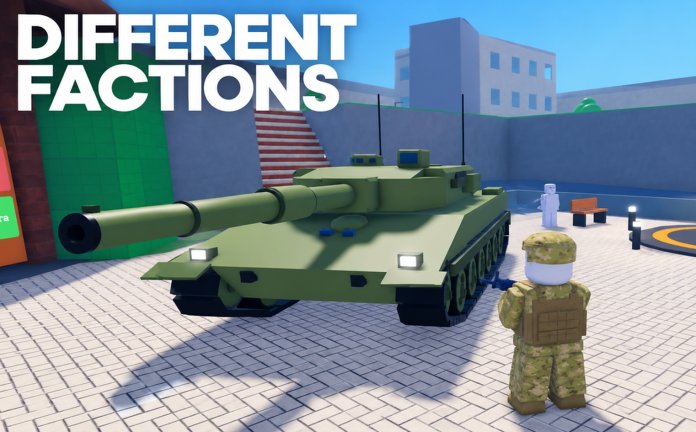
Combat is only half of Ragdoll Physics 2. Creative Mode, the Spawn Menu, Workshop builds, and Missions turn the free Roblox sandbox into a director’s chair: place props, tune gravity or slow motion, invite friends into a scene, and publish the madness. This guide covers how to build chaos on purpose, how Missions fit beside freeplay, and how to share Workshop creations without lighting your set on fire — unless that is the bit.
Geography still matters; skim Maps before you erect a clinic under a wrecking ball. For people and creators worth following, browse Players.
Creative Mode mindset
Creative Mode is where you stop reacting to wars and start authoring them. Inspired by Garry’s Mod and People Playground, the fantasy is soft-body storytelling: stack cars from the 60+ vehicle list, suspend ragdolls with the physics gun, and film a saber duel during event weeks. You still have access to 140+ weapons; the difference is intent.
Goals you can set:
- Build a shooting range with distance markers.
- Assemble a field hospital for Doctor Mode practice.
- Script a police ambush using cover props before inviting AI or players.
- Prototype a Mission idea with clear start and fail states.
- Stage demolition finales on purpose instead of by accident.
If you are still learning menus, finish Getting Started and Controls so Spawn Menu toggles do not fight your hotbar habits.
Spawn Menu basics
The Spawn Menu is the faucet. Typical uses:
- Open sandbox / Creative UI.
- Browse props, weapons, vehicles, or NPCs / dummies depending on what the current build exposes.
- Place items with clear spacing — overlapping colliders create jitter that ruins film takes.
- Save mental checkpoints: “range done,” “cover done,” “medical bed done.”
- Only then invite chaos (rockets, crushers, player wars).
Dummies that take cover, flank, and throw grenades are fantastic stress testers for your geometry. If they instantly path into a corner and explode themselves, redesign the lanes.
Workshop builds
Workshop support (highlighted with the mid-November Missions & Workshop update) lets players share creations. Practical workflow:
- Build small — a one-room trap or clinic publishes cleaner than an unfinished city.
- Label spawns — visitors should know where to stand, which gun rack is safe, and where not to stand under a wrecking ball.
- Test with medics — if your parkour kills everyone with no recovery path, either add pads or advertise it as a wipe map.
- Stress with vehicles — 21-player servers will drive through anything you leave unfenced.
- Version thoughtfully — when the Sea Update / weapons rework or later patches change tools, retest featured builds.
Share links in communities you trust. Spotlight creators via Players. Keep any script discussion on Scripts separate from legitimate Workshop props — this wiki does not encourage ToS-breaking clients.
Missions
Missions give structure when pure sandbox fatigue hits. Treat them like authored scenarios:
- Read objectives before equipping a meme-only flamethrower kit.
- Bring a medical slot; authored fights still produce pulse and oxygen failures.
- Use map knowledge from Maps to anticipate sniper towers or demolition props inside the mission space.
- After failing, rebuild in Creative: isolate the hard encounter, spawn the same enemy mix, and practice.
Missions and Workshop together are how Ragdoll Physics 2 grows beyond “press rocket, laugh, repeat,” without losing that core joy.
Gravity, slow motion, blood, and other toggles
Sandbox toggles are the seasoning. Exact names live in UI panels and can shift after patches, but the jobs are stable:
- Gravity — moon jumps for vehicle stunts, heavy gravity for brutal falls, resets to normal for fair wars.
- Slow motion — watch pellet spreads, wrecking ball arcs, and defib timing like a replay camera.
- Blood / gore presentation — tune for cinematic taste or keep scenes readable on mobile.
- Weather (from the late October feature wave) — mood lighting vs clarity for prompts.
Toggle discipline:
- Set the world.
- Run the take.
- Reset toggles before a serious war so newcomers are not stuck in slime gravity.
- Never “balance” a competitive fight with secret slow-mo only you knew about — communicate.
Controller users (supported since late October) should map muscle memory to open these panels without dropping ADS mid-edit (Controls).
Building chaos scenes that still work
Chaos needs scaffolding:
- Foreground action — the sword fight, car jump, or grenade cook.
- Midground danger — a crusher or breakable wall on a timer.
- Background scale — skyscraper or fleet of parked vehicles.
- Safety net — spawn a medical crate and a clear revive lane.
Record with slow-mo, then restore normal time for the next take. Use limb-focused weapon hits so Doctor Mode inspections sell the story (Weapons). Pair rankings of “best scene toys” with the Tier List once you know which tools film well.
Collaboration etiquette on public servers
Public Creative is fragile:
- Ask before deleting someone’s half-built Workshop draft.
- Soft-claim a corner with cones or barriers.
- Keep live explosives off the build floor until the architect says action.
- Offer medic support instead of spawn-killing builders.
- Move wars to appropriate maps when Creative players ask.
Server size 21 means one grief rocket can erase an hour of work. Be the player who announces “testing rockets east side” in chat.
Suggested session templates
- Film night — Creative map, slow-mo on, blood tuned, one director with physics gun, one medic.
- Science night — crash lab, gravity normal, weapons A/B tests, Doctor Mode clipboard notes.
- Mission night — run Missions, then recreate fail states in Spawn Menu practice.
- Workshop night — publish a small range, invite feedback from Players contacts.
There are no active redeem codes for Creative unlocks; ignore scams and check Codes. Track feature drops on Updates — map editor, weather, police, Sea Update free weapons, Missions & Workshop, Sabers event — so your tutorials stay honest.
Related pages
- Maps — which of the 16 spaces fit building vs demolition.
- Players — community and creator discovery.
- Weapons — toys to stock in your armory props.
- Doctor Mode — clinics and injury storytelling.
- Guides Hub — all guides.
- Updates — Creative-facing patch notes.
Author the chaos, publish the best takes, and leave the next visitor a spawn point that is not already on fire.
Frequently Asked Questions
Quick answers to the most common questions.
What is Creative Mode used for in Ragdoll Physics 2?
Authoring scenes: spawn props and vehicles, tune sandbox toggles, film stunts, build clinics or ranges, and prototype ideas before wars or Missions.
How do Workshop builds work at a high level?
Create a stable layout in Creative, test with players and vehicles, then share through Workshop flows highlighted in the mid-November update. Start small and label spawns.
Where are gravity and slow motion controls?
Inside sandbox / Creative UI panels. Set them for a take, then restore defaults before fair wars so everyone shares the same physics.
Do Missions replace free sandbox play?
No. Missions add authored objectives when you want structure. You can still freeplay, Creative build, or run wars separately.
Any etiquette tips for public Creative servers?
Do not delete others’ builds, announce explosive tests, keep a revive lane, and move loud wars when builders ask for space.